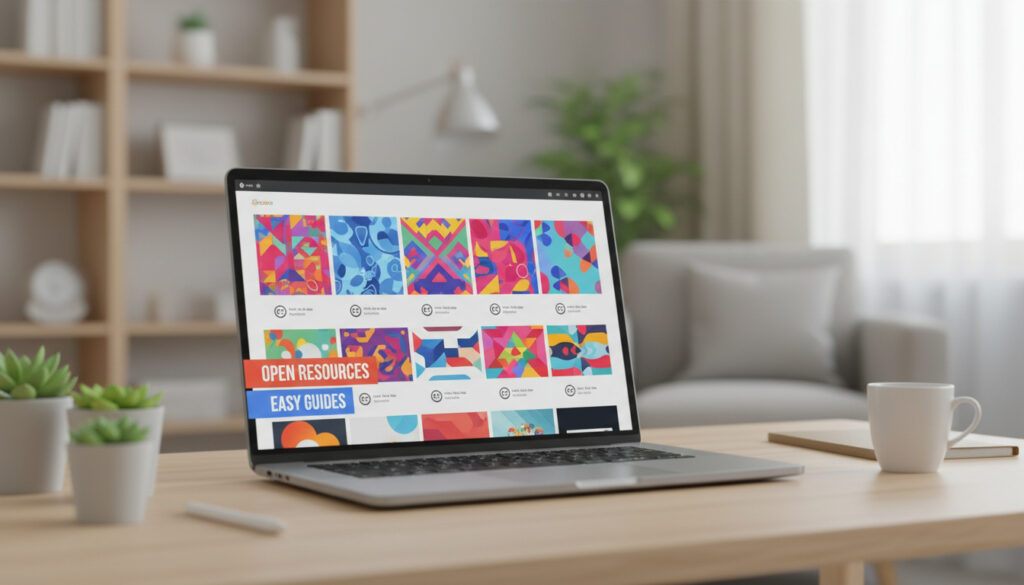
Free Google Slides Templates – Top Sources and Licensing Guide
Professionals and educators increasingly rely on polished presentation designs without proprietary software costs. Free Google Slides templates have emerged as critical resources for creating business proposals, academic lessons, and creative portfolios within Google’s cloud ecosystem. Several specialized platforms now offer extensive libraries that integrate natively with Google Workspace.
The landscape spans from community-driven archives to freemium marketplaces, each with distinct licensing terms and technical capabilities. Understanding where to source these assets—and under what conditions—determines whether a template suits personal projects or commercial client deliverables.
Where Can I Get Free Google Slides Templates?
Five major platforms dominate the 2024-2025 market for no-cost Google Slides themes. SlidesCarnival maintains an extensive library updated monthly, while Slidesgo offers over 10,564 backgrounds across diverse categories. Bright Carbon analyses indicate these third-party repositories significantly outpace Google’s native offerings in variety and design sophistication.
| Top Free Sources | Popular Categories | Key Technical Features | Access Statistics |
|---|---|---|---|
| SlidesCarnival, Slidesgo, SlidesMania, PresentationGO, Canva | Business, Education, Minimalist, Marketing, Creative | Native Slides integration, PPTX export, editable vectors | Slidesgo: 3 free downloads/month; PresentationGO: unlimited; SlidesCarnival: unlimited |
- Freemium models dominate the market, with strict monthly download caps on free tiers
- Google’s native template gallery remains basic compared to specialized third-party archives
- Minimalist and professional business themes show the highest search demand
- Native compatibility varies: some platforms offer one-click “Open in Google Slides” while others require PPTX import
- Commercial use rights differ significantly between platforms, requiring careful license verification
- No-registration downloads are available only on select sites like SlidesCarnival and PresentationGO
| Platform | License Type | Google Slides Compatibility | Commercial Use | Primary Limitations |
|---|---|---|---|---|
| SlidesCarnival | CC BY 4.0 | Native one-click + PPTX | Allowed with attribution | Attribution required in footer |
| Slidesgo | Free with attribution | Direct open + PPTX | Allowed with attribution (free tier) | 3 downloads per month |
| SlidesMania | Site-specific terms | Open button requires login | Personal/educational/work use | Google account mandatory |
| PresentationGO | Varies per template | Google Slides + PPTX | Verify individually | No centralized license |
| Canva | Free/Pro asset-dependent | PPTX export/import | Asset-level restrictions apply | Pro assets require paid plan |
| HiSlide | Registration required | PPTX upload needed | Credit required | 42 templates available |
What Are the Best Free Google Slides Templates?
Quality assessments depend on intended application. Skywork research identifies three dominant categories driving 2024-2025 usage: business/marketing diagrams, educational interactive layouts, and minimalist professional themes.
Business and Marketing
PresentationGO specializes in premium-quality infographics and business diagrams, offering 3,027+ editable templates specifically designed for corporate presentations. These assets support complex data visualization without design software expertise. HiSlide provides 42 marketing-focused templates, though these require registration and credit attribution.
Education and Academia
SlidesMania targets educators with labeled categories including “formal,” “fun,” and “simple,” featuring lesson plans, digital notebooks, and interactive worksheets. Slidesgo maintains 1,684 research-specific templates covering architecture, music, and cultural studies, suitable for academic conferences and classroom instruction.
Minimalist and Professional
Clean, formal themes dominate professional recruitment and portfolio presentations. SlidesCarnival emphasizes modern layouts with strong whitespace, while Google’s official Template Gallery provides basic minimalist options ideal for enterprise teams requiring standardized branding.
SlidesCarnival’s CC BY 4.0 license explicitly permits commercial use provided the footer credit with link remains visible. Slidesgo’s free tier similarly requires attribution for business use. For client work where attribution proves impractical, premium upgrades remove these requirements while providing unlimited downloads.
Does Google Slides Offer Free Templates?
The platform provides two distinct free template ecosystems: Google’s native Gallery and third-party integrations. Understanding the boundaries between these determines workflow efficiency and legal compliance.
Native Gallery Limitations
Google Workspace users access a built-in Template Gallery through the Slides homepage. These official templates offer basic functionality suitable for internal team use but lack the design sophistication and category diversity found in specialized archives. Enterprise administrators can restrict or curate these options for organizational consistency.
Third-Party Freemium Realities
Truly unlimited, no-strings-attached templates remain rare. Most high-quality sources operate on freemium models where “free” indicates costless access with functional limitations rather than complete licensing freedom. Slidesgo restricts free users to three monthly downloads, while Canva reserves advanced assets for Pro subscribers.
Commercial Use Verification
Personal and educational use typically faces few restrictions across major platforms. However, commercial deployment—defined as any revenue-generating or client-facing presentation—requires meticulous license review. PresentationGO explicitly states that licenses are not centralized, demanding per-template verification and record-keeping for business applications.
How Do I Download and Customize Free Google Slides Templates?
Acquisition workflows vary significantly between platforms, impacting preparation time and technical requirements. Most sites now prioritize direct cloud integration over traditional file downloads.
Direct Import Workflows
SlidesCarnival and Slidesgo offer one-click “Use in Google Slides” or “Open in Google Slides” buttons that automatically copy templates to the user’s Drive. Bright Carbon notes that SlidesMania requires Google account authentication for this feature, while PresentationGO avoids registration entirely. Alternative workflows involve downloading PPTX files for manual import into Google Slides.
Customization Best Practices
All platforms support standard editing functions: text replacement, image substitution, color palette adjustments, and font modifications. Users should verify that substituted fonts are web-safe to prevent formatting shifts when presenting across different devices or sharing via link. Integration with Free Photo Editing Software – Best Picks for 2025 allows pre-insertion refinement of supporting imagery, creating cohesive visual narratives without expensive creative suites.
When customizing templates, prioritizing web-safe fonts prevents layout disruption. Custom typography installed locally may not render correctly on recipients’ devices or in browser-based presentation modes.
Format Considerations
Native Google Slides formats preserve full editability and collaboration features. PPTX imports may occasionally convert complex animations or transitions imperfectly. For projects requiring extensive revision history or real-time co-editing, native formats prove superior to exported PowerPoint files.
Professionals utilizing free templates for commercial deliverables should screenshot platform terms at the time of download, as licensing conditions change periodically. Maintaining records of attribution requirements protects against retroactive compliance issues.
How Has the Free Template Ecosystem Evolved Recently?
The market has shifted from static download archives to integrated cloud-based editing environments over the past 24 months.
- 2023: Major platforms transitioned from file-download models to direct Google Slides API integration, reducing friction for Workspace users.
- Early 2024: Specialized educational templates gained prominence, with SlidesMania and similar sites expanding interactive worksheet offerings for remote learning environments.
- Mid-2024: Commercial use clarification became standardized, with SlidesCarnival formally adopting CC BY 4.0 and competitors specifying attribution requirements transparently.
- Late 2024: SketchBubble and SlideEgg entered the market with focused 2025 template collections, increasing competition for design quality.
- 2025: Freemium models tightened free-tier restrictions, with download caps becoming industry standard to drive premium conversions.
What Is Certain About Free Template Rights?
Legal and functional certainties vary across the provider landscape, requiring users to distinguish between reliable standards and platform-specific variables.
| Established Information | Information That Remains Unclear |
|---|---|
| SlidesCarnival operates under CC BY 4.0 license requiring specific attribution formats | PresentationGO’s per-template licensing creates uncertainty without individual verification |
| Slidesgo enforces a strict 3-download monthly limit on free accounts | Future changes to freemium pricing tiers remain unannounced |
| Native Google Slides compatibility is guaranteed on SlidesCarnival, Slidesgo, and SlidesMania | Long-term availability of specific template designs cannot be guaranteed |
| Canva Pro assets require paid subscription for commercial clearance | Exact boundaries of “commercial use” definitions differ between jurisdictions and platforms |
Why Do Free Templates Matter for Modern Workflows?
Cloud-based presentation tools have democratized design capabilities previously requiring specialized software. Free templates eliminate cost barriers for startups, educators, and non-profit organizations while maintaining professional visual standards comparable to paid alternatives.
This ecosystem supports rapid prototyping and iterative design processes essential for agile business environments. Furthermore, understanding What Is Prompt Engineering – Techniques and Examples Guide becomes relevant as AI-generated content increasingly populates these templates, requiring users to verify originality and licensing of automated design elements.
What Do Expert Reviews Indicate About Quality?
Industry analysts consistently highlight specific platforms for reliability and design standards.
“SlidesCarnival has established itself as particularly trustworthy among educators and content creators, offering modern layouts that require minimal modification for professional use.”
— Skywork Analysis, 2025 Template Survey
“The breadth of Slidesgo’s catalog represents one of the largest available, though users must navigate the three-download limitation carefully when selecting options for commercial projects.”
— Bright Carbon Review
What Should You Remember When Selecting Free Templates?
Prioritize platforms offering clear licensing terms compatible with your intended use case, verify whether attribution requirements fit your presentation context, and confirm native Google Slides compatibility to avoid conversion errors. For ongoing professional use, track licensing screenshots to ensure continued compliance as terms evolve.
Frequently Asked Questions
Are SlidesCarnival templates completely free?
Yes, with CC BY 4.0 licensing requiring attribution. Commercial use is permitted provided the footer credit remains visible. No registration is required to download.
Can I use Slidesgo templates for commercial client work?
The free tier allows commercial use with mandatory attribution. For client presentations where attribution is impractical, premium subscription removes this requirement and provides unlimited downloads.
Do I need a Google account to use these templates?
Viewing templates requires no account, but editing natively in Google Slides necessitates Google Drive access. SlidesMania specifically requires login for their “Open in Slides” button functionality.
What is the difference between PPTX and native Google Slides formats?
Native formats preserve real-time collaboration and editability within Google’s ecosystem. PPTX files require import conversion, which may affect complex animations or fonts.
Can I remove the attribution footer on free templates?
Removing attribution violates terms on SlidesCarnival and Slidesgo free tiers. Only premium upgrades or explicitly no-attribution licenses permit footer removal.
Are there templates specifically designed for teachers?
SlidesMania and Slidesgo offer extensive education categories including lesson plans, interactive worksheets, and academic planners optimized for classroom deployment.
More related posts
 Garbage Disposal Not Working – Common Causes and Fixes
 Best Home Improvement Store Near Me: B&Q Alternatives in Ireland
 RBC Heritage Leaderboard 2025 – Justin Thomas Wins Playoff
 Focus on the Family: History, Beliefs, Leadership & Resources
 Chautauqua Lake Algae: Health Risks & Safety Guide
 Real Madrid Lineups vs Juventus: Starting XI, Result, Injuries
 2026 MLB Wild Card Standings: Live AL & NL Race Updates