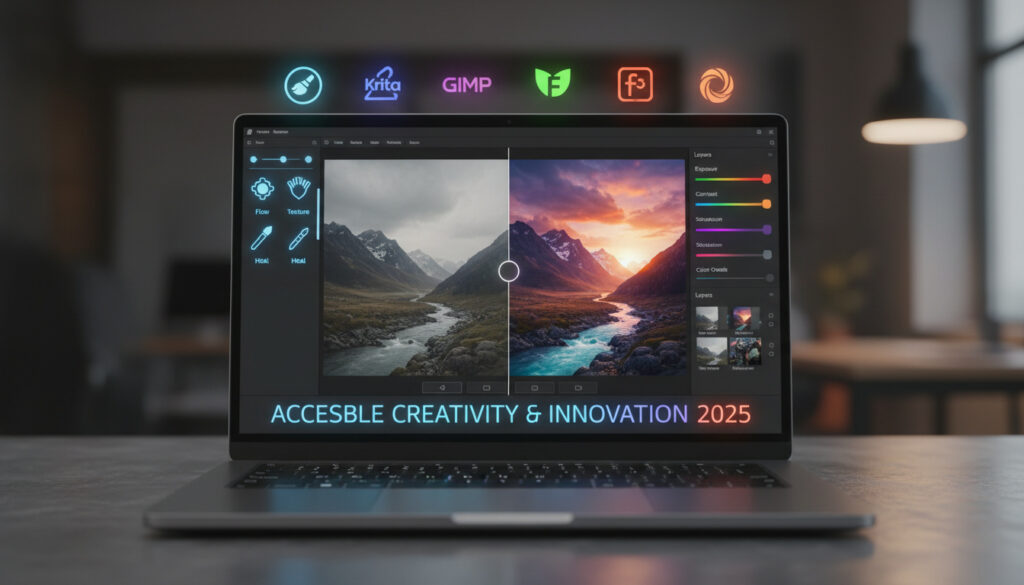
Free Photo Editing Software – Best Picks for 2025
Professional-grade image manipulation no longer demands subscription fees. The current landscape of free photo editing software offers capabilities that rival expensive suites, with options spanning open-source powerhouses, browser-based tools, and mobile applications.
March 2025 marked a turning point for accessibility in this space. GIMP 3.0 arrived with workflow refinements that addressed longstanding usability complaints, while web-based platforms continue eliminating download barriers entirely. Understanding What Is Prompt Engineering reveals how AI integration now differentiates these tools.
Selection depends entirely on workflow requirements. RAW processing demands differ from social media template creation, just as mobile editing priorities vary from desktop batch processing needs.
What Is the Best Free Photo Editing Software?
Top Pick: GIMP
Platforms: Windows, Mac, Linux
Key Strength: Advanced editing with layers, masks, and plugins
Limitations: Steep initial learning curve
Source: GIMP Official
Online Pick: Photopea
Platforms: Web browsers
Key Strength: Photoshop-like interface without installation
Limitations: Requires internet connection
Source: Photopea
Beginner Pick: Paint.NET
Platforms: Windows
Key Strength: Simplified interface for basic edits
Limitations: Windows only
Source: Paint.NET
Mobile Pick: Snapseed
Platforms: iOS, Android
Key Strength: Professional tools in mobile format
Limitations: Mobile only
Source: Amateur Photographer
- GIMP offers professional features without cost, including support for layers and masks comparable to premium software.
- Web-based options like Photopea eliminate installation requirements entirely.
- Mobile apps now match desktop power for casual editing, with Snapseed providing Google-developed reliability.
- AI integration varies significantly between free tiers, with some platforms restricting generative features to paid subscriptions.
- Open-source tools provide transparency and community-driven development but often present steeper learning curves.
- March 2025 updates to GIMP 3.0 introduced significant usability improvements that reduced onboarding friction.
| Software | Platforms | Open Source | Advanced Features | Watermark |
|---|---|---|---|---|
| GIMP | Windows, Mac, Linux | Yes | Layers, masks, plugins | None |
| Affinity Photo 2 | Windows, Mac | No | RAW, vector, AI | None |
| RawTherapee | Windows, Mac, Linux | Yes | RAW processing | None |
| Snapseed | iOS, Android | No | Selective adjustments | None |
| MyEdit | Web | No | AI generation | Limited free downloads |
| Canva | Web, iOS, Android | No | Templates, basic edits | None |
| Pixlr | Web, iOS, Android | No | AI-assisted editing | None |
| Krita | Windows, Mac, Linux | Yes | Digital painting | None |
What Are the Best Free Photoshop Alternatives?
Several platforms now compete directly with Adobe’s dominance, offering professional retouching without subscription fees. According to Digital Camera World, modern alternatives combine raster editing, vector tools, and generative AI in single applications.
Affinity Photo 2
Zapier identifies Affinity Photo 2 as a comprehensive solution for professional retouching. The software encompasses photo editing alongside raster, vector, publishing, and generative AI capabilities within a single interface.
Canva
Canva optimizes workflows for social media content creators, providing extensive template libraries for graphics, videos, and presentations. However, Digital Camera World notes that AI tools require paid subscriptions, limiting advanced functionality on free tiers.
Pixlr
Pixlr specializes in conversational AI photo editing through its Nano Banana AI interface. The platform targets beginners with simplified controls while maintaining accessibility across mobile and desktop browsers.
Industry analysis confirms that most free tiers limit generative capabilities. Fotor locks basic adjustments like color saturation behind premium plans, while MyEdit restricts AI credits to three daily on free accounts. Only MyEdit offers permanently free AI tools without mandatory subscriptions, though daily limits apply.
Is GIMP the Top Free Option?
GIMP’s standing depends on examining both its licensing model and recent development trajectory. The software represents the most mature open-source alternative available.
Is GIMP Free?
The GNU Image Manipulation Program operates under a completely free, open-source license. Amateur Photographer confirms no credit card requirements exist for downloads or usage across Windows, Mac, and Linux systems.
What Is RawTherapee?
For photographers prioritizing RAW file processing, RawTherapee offers specialized tools. Reviews indicate the software provides extensive processing options, though the interface overwhelms beginners and update frequency remains slow compared to commercial competitors.
How Do Krita and MyEdit Compare?
Krita serves digital artists with detailed brush reproduction, available completely free across multiple platforms. MyEdit operates exclusively through browsers, offering high-quality AI effects with daily credit refreshes. Zapier notes MyEdit uniquely provides forever-free AI tools without subscription locks, though users face limitations of three daily credits and one watermark-free download per day.
GIMP and RawTherapee maintain fully open-source codebases, providing transparency regarding data handling and security. Photography Life confirms this allows community auditing and independent verification of privacy protections, unlike proprietary alternatives where internal processes remain opaque.
Best Free Photo Editors for Windows, Mac, and Mobile?
Platform compatibility determines accessibility for many users. While some tools excel across all operating systems, others optimize for specific environments.
Desktop Solutions
Windows users access the broadest selection, including Paint.NET for simplified editing and GIMP for advanced work. Mac users find strong support through GIMP, Affinity Photo 2, and RawTherapee. Linux compatibility remains strongest with GIMP and RawTherapee, reflecting their open-source development origins.
Mobile Editing
Snapseed dominates mobile platforms as a Google-developed application available for both iOS and Android. The interface delivers professional-quality tools optimized for touchscreens without cost barriers.
Web-Based Flexibility
Browser-based editors eliminate installation requirements entirely. Photopea provides Photoshop-like functionality through any modern browser, while MyEdit specializes in AI-driven effects without download requirements.
Paint.NET remains restricted to Windows systems. RawTherapee offers Linux support but lacks mobile applications. MyEdit requires internet connectivity for all operations. Users should verify platform availability before committing to specific workflows, as migration between editors creates friction.
How Has Free Photo Editing Software Evolved?
- 1996: GIMP initial release establishes the first comprehensive open-source image manipulation program.
- 2004: Paint.NET launches for Windows, targeting users seeking simpler alternatives to complex professional suites.
- 2016: Browser-based editors including Photopea emerge, eliminating installation barriers for casual users.
- 2011: Snapseed acquired by Google and subsequently released as a free mobile application.
- 2025: GIMP 3.0 releases in March, introducing workflow improvements and usability tweaks that address long-standing interface criticisms.
Learning How to Write in Cursive requires similar practice-based skill development as mastering these evolving editing platforms.
What Is Truly Free vs. Freemium?
Established Facts
- GIMP, Krita, RawTherapee, and Snapseed carry no cost or watermark requirements.
- MyEdit offers watermark-free downloads limited to one per day on free tiers.
- GIMP 3.0 updates improved accessibility without introducing fees.
- Open-source alternatives provide complete functionality without premium tiers.
Unclear or Complex
- Affinity Photo 2’s exact pricing model remains inconsistently reported across sources, with some describing it as completely free while traditional retail models suggest otherwise.
- Long-term availability of MyEdit’s daily credit system depends on platform sustainability.
- Future AI feature restrictions in Canva and Fotor may shift as business models evolve.
Why Are Users Switching to Free Editors?
Market trends indicate growing resistance to subscription pricing models. Users increasingly prioritize perpetual access to tools without recurring charges. Simultaneously, AI integration has become a primary differentiator, with free platforms racing to implement generative features previously exclusive to premium software.
The divide between amateur and professional needs continues narrowing. Mobile applications now handle RAW processing, while desktop alternatives match Photoshop’s layer and masking capabilities. Community-driven development ensures rapid response to user needs, particularly within the GIMP ecosystem.
What Do Experts Say About Free Photo Tools?
GIMP offers a powerful photo editing suite comparable to Photoshop and Affinity Photo, with tons of community-developed plugins for customization.
MyEdit is the only free Photoshop alternative with forever-free AI tools (not subscription-locked), offering a complete suite of AI image, video, and audio generation.
Zapier
Which Free Photo Editor Should You Choose?
GIMP serves users requiring maximum control and customization, particularly those comfortable navigating complex interfaces. Casual editors prioritizing speed should consider browser-based alternatives like Photopea. Mobile photographers find Snapseed sufficient for professional-quality adjustments. Those needing AI assistance without subscriptions should investigate MyEdit’s credit system, while social media creators benefit from Canva’s template libraries despite AI restrictions.
Frequently Asked Questions
Completely free photo editor no watermark?
GIMP, RawTherapee, Krita, and Snapseed export without watermarks. MyEdit allows one watermark-free download daily. Most legitimate free editors do not brand exported files.
Best free online photo editors?
Photopea offers Photoshop-like functionality in browsers. MyEdit provides AI tools with daily credit limits. Pixlr delivers beginner-friendly interfaces with conversational AI assistance.
Is there a free version of Photoshop?
Adobe does not offer a free version of Photoshop. Alternatives like GIMP, Photopea, and Affinity Photo 2 provide similar functionality without cost, though feature parity varies by specific use case.
Is Photopea safe to use?
Photopea operates as a browser-based application requiring no installation or account creation, reducing malware risks. However, users should ensure they access the official website and avoid uploading sensitive images to any cloud-based editor.
Which free editor handles RAW files best?
RawTherapee specializes in RAW processing with extensive adjustment options. GIMP and Affinity Photo 2 also support RAW formats, though RawTherapee offers the most comprehensive dedicated tools for this format.
Are free photo editors good for beginners?
Paint.NET and Canva offer simplified interfaces ideal for newcomers. Snapseed provides intuitive mobile controls. GIMP and RawTherapee present steeper learning curves but include extensive documentation.
More related posts
 Deadpool & Wolverine Release Date: July 26, 2024 & Disney+
 New England Patriots Games: 2026 Schedule, TV & Streaming
 Take Care of Maya Verdict Overturned: Full Update
 Robert F. Kennedy Jr.: Health, Family, and Career Explained
 How to Reduce Inflammation in the Body: Fast, Effective Tips
 Torn Meniscus Symptoms Test – Diagnosis, Tests and Recovery Guide
 Como Perder Peso Naturalmente – Proven Sustainable Methods
 Cavaliers vs Bulls Player Stats: Game Results & History