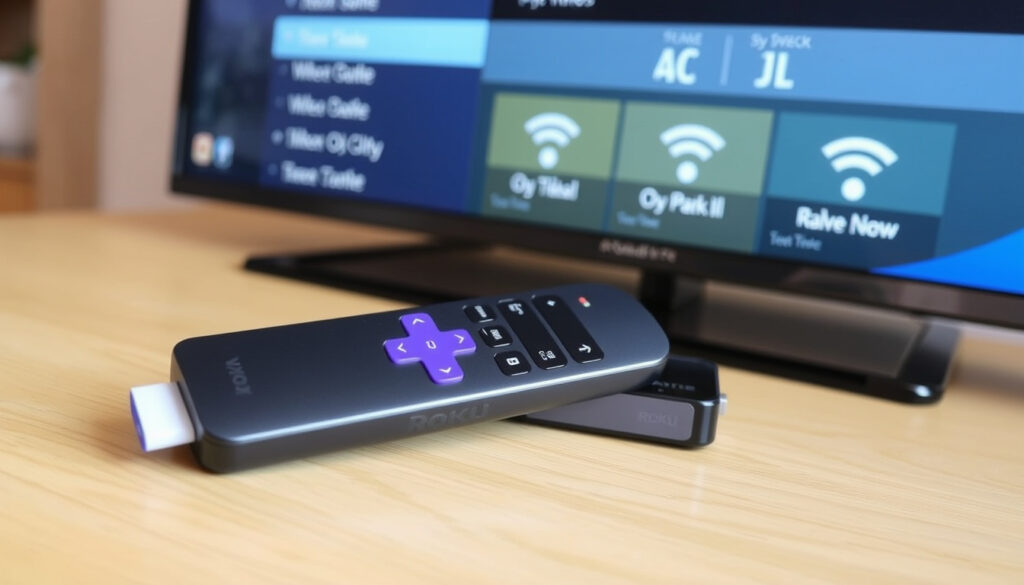
How to Pair a Roku Remote: Easy Steps & Troubleshooting
You’ve got a Roku remote that won’t pair, a replacement that needs syncing, or you just want to know how it all works — it’s simpler than it looks once you know which remote you’re holding and which button to press. This guide walks you through every pairing method Roku offers, from the no-setup IR remote to the Bluetooth voice remote, plus fixes for when things don’t connect.
Roku remote types: Simple, Voice, Enhanced Voice Remote · Pairing methods: Bluetooth pairing button, IR (no pairing), Roku mobile app · Maximum Bluetooth range: 30 feet (9 meters) · Battery type: 2x AAA (most models) · Roku OS required for voice remote: 9.1 or later
- Identify your remote type: Simple (no pairing), Voice (pairing button or Back+Home), or Enhanced Voice.
- Insert fresh batteries into the remote.
- Press and hold the pairing button (or Back+Home for 5 seconds) until the status light flashes.
- Wait up to 30 seconds for the pairing message to appear on your TV.
- Test the remote by navigating the Roku menu.
Quick snapshot
- Simple remote (IR) needs no pairing – just insert batteries (Roku Support: How to set up your Roku simple remote)
- Voice remote pairing uses Bluetooth – press and hold the pairing button 5 seconds (Roku Support: How to set up and pair your Roku voice remote)
- Resetting a voice remote: Back + Home for 5 seconds (Roku Support: How to set up and pair your Roku voice remote) (Roku Support: How to set up your Roku simple remote)
- Roku mobile app can replace a lost remote (Roku Support: How to set up and pair your Roku voice remote) (Roku Support: How to set up your Roku simple remote)
- Why some remotes intermittently lose pairing (Roku Support: Fix your Roku remote)
- Exact cause of interference from other Bluetooth devices (Roku Support: Fix your Roku remote) (Roku Support: Fix your Roku remote)
- Pairing message may take up to 30 seconds to appear (Roku Support: How to set up and pair your Roku voice remote)
- Remote reset (back+home) acts quickly – light flashes in 5 seconds (Roku Support: How to set up and pair your Roku voice remote)
- After pairing, test volume and directional controls (Roku Support: How to set up and pair your Roku voice remote)
- If pairing fails, try restarting the Roku device by unplugging power for 5 seconds (Roku Support: Fix your Roku remote)
Six key details about Roku remotes, one takeaway: pairing is either instant (IR) or a short button hold (Bluetooth) — and the mobile app is a reliable backup.
Here are the key details for pairing your Roku remote:
| Detail | Value |
|---|---|
| Roku remote types | Simple, Voice, Enhanced Voice Remote |
| Pairing method for IR | No pairing; insert batteries (Roku Support: How to set up your Roku simple remote) |
| Pairing method for Bluetooth | Press and hold pairing button or Back+Home (Roku Support: How to set up and pair your Roku voice remote) |
| Pairing without button | Use Roku mobile app or TV settings (Roku Support: How to set up and pair your Roku voice remote) |
| Resetting method | Back+Home for 5 seconds or remove batteries and hold pairing button (Roku Support: Fix your Roku remote) |
| Maximum range | 30 feet (Bluetooth), line-of-sight (IR) |
How do I manually pair my Roku remote?
How do I pair a replacement Roku remote?
If you’ve bought a new Roku remote, the process depends on the type. For a voice remote (with a pairing button), locate the button — usually on the back or under the battery cover (Roku Support: How to set up and pair your Roku voice remote). Press and hold it for 5 seconds until the status light flashes. The TV should show a pairing message within about 30 seconds (Roku Support: How to set up and pair your Roku voice remote). For a simple remote (IR), no pairing is needed — insert fresh batteries and it’s ready (Roku Support: How to set up your Roku simple remote).
Replacement remotes are often sold as universal — but the pairing button is the only way to guarantee Bluetooth syncing. Without it, you may be stuck with IR-only control.
The implication: once you know your remote type, pairing is either instant or a quick button hold.
How do I pair my Roku remote to a TV?
Pairing a Roku remote to a TV is the same as pairing to any Roku device. Ensure the TV is powered on and the Roku Home screen is visible. Then press and hold the pairing button (or Back+Home for remotes without a button) until the light flashes (Roku Support: How to set up and pair your Roku voice remote). If you have a Roku TV, the remote that shipped with it is typically pre-paired. A replacement or additional remote needs the pairing process just like any other Roku player.
How to pair Roku remote without pairing button?
How do I sync my Roku remote without a pairing button or light?
If your remote has no visible pairing button and no indicator light, it’s likely a simple IR remote — and it doesn’t need pairing (Roku Support: How to set up your Roku simple remote). Just insert batteries and point it at the Roku. However, if you have a voice remote that’s missing the button, Roku’s official method is to press and hold the Back and Home buttons simultaneously for 5 seconds (Roku Support: How to set up and pair your Roku voice remote). The status light should flash, indicating pairing mode.
Can I pair a Roku remote without a pairing button?
Yes — if your remote is a voice remote model without a physical pairing button, use the Back+Home shortcut. If that doesn’t work, use the Roku mobile app. From the app, go to Settings > Remotes and devices > Add devices > Remote (Roku Support: How to set up and pair your Roku voice remote). The app acts as a virtual remote and can initiate the pairing process on the Roku device. Some Roku TVs also allow pairing via the TV’s settings menu.
The mobile app works as a fallback, but it requires your phone to be on the same Wi-Fi network. That won’t help if your network is down.
The pattern: no pairing button means either IR (no pairing needed) or a Back+Home shortcut for voice remotes.
How do I pair my Roku to a new TV?
Can you reset a Roku remote to a new TV?
If you move your Roku device to a different TV, the remote may need re-pairing if it’s a Bluetooth model. The reset process is straightforward: press and hold Back+Home for 5 seconds (or the pairing button) until the light flashes, then pair as new (Roku Support: How to set up and pair your Roku voice remote). You don’t need to reset the Roku device itself.
How do I pair my Roku remote to a TCL TV?
TCL TVs that run Roku OS work exactly like other Roku TVs. If the remote isn’t responding, check that the TV is powered on and the Roku home screen is visible. Then press and hold the pairing button or Back+Home. TCL-branded remotes that came with the TV are pre-paired; a replacement will need the standard pairing process (Roku Support: How to set up and pair your Roku voice remote).
How do I pair my Roku remote to a Roku stick?
Roku streaming sticks (e.g., Roku Express, Roku Streaming Stick) pair the same way as boxes. Place the stick within 10 feet of the remote during pairing. A YouTube guide suggests unplugging the stick’s USB power, then reinserting batteries and retrying pairing (YouTube: How to Pair ROKU Remote to TV (Connect & Sync)). Roku’s official advice is to restart the Roku device by unplugging power for at least 5 seconds (Roku Support: Fix your Roku remote).
Why is my remote not pairing to my Roku?
How to fix a Roku remote that won’t pair?
- Check battery polarity and replace with fresh batteries (Roku Support: Fix your Roku remote)
- Ensure the Roku device is on and the Home screen is showing
- Restart the Roku by unplugging power for 5 seconds, then plug back in (Roku Support: Fix your Roku remote)
- Move closer – Bluetooth range is about 30 feet (Roku Support: How to set up and pair your Roku voice remote)
- Try resetting the remote: hold the pairing button for 20 seconds, or Back+Home for 20 seconds if no pairing button (Roku Support: Fix your Roku remote)
- Check for interference from other Bluetooth devices (like speakers or phones) (Roku Support: Fix your Roku remote)
- Update Roku OS if possible
The implication: most pairing failures are battery or power-cycle issues. If the remote still won’t pair after these steps, the remote itself may need replacement.
How do I reset my Roku remote?
How do I reset a Roku remote to a new TV?
Resetting clears the remote’s memory so it can pair with a different Roku device. For voice remotes: press and hold Back+Home for 5 seconds until the light flashes (Roku Support: How to set up and pair your Roku voice remote). For simple remotes: remove batteries, press any button for 5 seconds to discharge residual power, then reinsert batteries. For a factory reset: remove batteries, hold down the pairing button for 20 seconds, then reinsert (Roku Support: Fix your Roku remote).
After reset, the remote will automatically go into pairing mode. You should see a pairing prompt on the TV within 30 seconds (Roku Support: How to set up and pair your Roku voice remote).
A factory reset is irreversible. If the remote still doesn’t pair afterward, it’s likely defective. Check your warranty before buying a replacement.
The pattern: resetting clears the pairing memory, allowing the remote to connect to a new device.
Clarity check: confirmed vs. unclear
Confirmed facts
- Roku simple remote does not require pairing (IR) (Roku Support: How to set up your Roku simple remote)
- Voice remote pairing requires a Bluetooth pairing process (Roku Support: How to set up and pair your Roku voice remote)
- Resetting remote: press Back+Home for 5 seconds (Roku Support: How to set up and pair your Roku voice remote)
- Roku mobile app can replace a lost remote (Roku Support: How to set up and pair your Roku voice remote)
What’s unclear
- Why some remotes intermittently lose pairing (Roku Support: Fix your Roku remote)
- Exact cause of interference from other Bluetooth devices (Roku Support: Fix your Roku remote)
- Whether simple remotes can be upgraded to voice functionality
- How distance beyond 30 feet affects Bluetooth reliability
Press and hold the Back and Home buttons for 5 seconds until the status light flashes.
Roku Support: How to set up and pair your Roku voice remote
Simple remotes do not have a pairing button and generally work by inserting fresh batteries or removing the battery pull tab.
Roku Support: How to set up your Roku simple remote
For Roku users, the single most reliable fix is restarting the device — unplug for 5 seconds. Without that step, most pairing issues will persist.
Related reading
- What Channel Is the NFL Game on Tonight? TV & Streaming Guide
- Xbox Series X Release Date: Launch Facts & Value in 2026
youtube.com, youtube.com, youtube.com, youtube.com, support.roku.com, youtube.com, support.roku.com, youtube.com, reddit.com
If your physical remote is unresponsive, you can also try using a browser as a remote as a temporary replacement while troubleshooting.
Frequently asked questions
Do I need to pair my Roku remote every time I change the batteries?
No. Once paired, the remote stays connected even after battery changes (Roku Support).
How long does a Roku remote pairing last?
Pairing persists indefinitely until you reset the remote or pair it to a different device.
Can I use my Roku remote with multiple Roku devices?
No. A Bluetooth remote can only be paired to one Roku device at a time.
What if my Roku remote has no pairing button and no indicator light?
It’s a simple IR remote. No pairing is needed – just insert batteries (Roku Support).
How do I pair my Roku remote to a different Roku device without resetting?
You must reset the remote first (Back+Home for 5 seconds) to clear the pairing and then pair to the new device (Roku Support).
Does the Roku mobile app work with all Roku remotes?
The app works as a virtual remote for any Roku device on the same Wi-Fi network. It does not replace the physical remote for Bluetooth pairing, but it can initiate pairing.
More related posts
 How Many Days Till Thanksgiving? [2026 Countdown]
 Cyberpunk 2077 Update 2.3: Release Date and New Features
 Best Protein Powder for Weight Loss – Top Dietitian Picks 2025
 Indiana Fever vs New York Liberty Match Player Stats: June 6
 Bengals vs Broncos Match Player Stats: 2025 Recap
 What Happened to Amanda Bynes? Full Timeline and Story
 Free Google Slides Templates – Top Sources and Licensing Guide
 Japanese Yen to USD: Rate, Conversion & Why JPY Is Weak